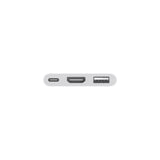
USB-C Digital AV Multiport Adapter for Mac
Overview
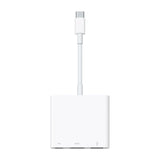
The USB-C Digital AV Multiport Adapter lets you connect your USB-C–enabled Mac, iPad or iPhone to an HDMI display, while also connecting a standard USB device and a USB-C charging cable.
This adapter allows you to mirror your USB-C–enabled Mac, iPad or iPhone to your HDMI-enabled TV or display.
Simply connect the adapter to a USB-C or Thunderbolt 3 (USB-C) connector on your Mac, iPad or iPhone, and then to your TV or projector via an HDMI cable (sold separately).
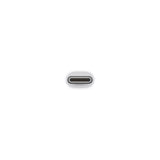
Use the standard USB port to connect devices such as your flash drive or camera or a USB cable for syncing and charging your iOS devices. You can also connect a charging cable to the USB-C port to charge your Mac, iPad or iPhone.
Tech Specs
Connections
HDMI
USB
USB‑C
System Requirements
macOS Mojave 10.14.6 or later; iOS 12.4 or later
Requires an HDMI cable (sold separately) for connection to your TV or projector. Supports both video and audio output.